|
openDAQ
Open data acquisition platform
|
|
openDAQ
Open data acquisition platform
|
Allows for specifying how a device and its subdevices are to be updated when loading a configuration. More...
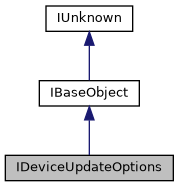
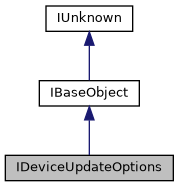
 Inheritance diagram for IDeviceUpdateOptions: Collaboration diagram for IDeviceUpdateOptions:
Allows for specifying how a device and its subdevices are to be updated when loading a configuration.
The device options object can be created using a serialized openDAQ JSON setup. The options are structured hierarchically, so that options for subdevices are stored in the parent device options. The following metadata is read from the setup: local ID, manufacturer, serial number, and connection string.
For each individual device in the setup, the update mode can be specified. The update mode defines how the device is updated when loading:
When the update mode is set to Remap, the device is removed and added again with the new manufacturer, serial number, and connection string. This can be used when swapping out a device with a different one of the same make/model. This option will try and load the same settings used to configure the original device to the new one.
When loading, the new manufacturer + serial number combination will have priority over the new connection string. In case a device with the new manufacturer + serial number combination is not found, the new connection string will be used as fallback.
If the remapping fails (e.g. due to missing device with the new manufacturer + serial number combination and invalid connection string), the original device will be removed (if present) and no new device will be added.
Signal->Input port connections will be preserved when remapping, assuming the new device has the same signal and input port structure and IDs.
Public Member Functions | |
| virtual ErrCode INTERFACE_FUNC | getLocalId (IString **localId)=0 |
| Gets the local ID of the device. The local ID is obtained from the JSON key for the device entry. More... | |
| virtual ErrCode INTERFACE_FUNC | getManufacturer (IString **manufacturer)=0 |
| Gets the manufacturer of the device, as written in the setup string. More... | |
| virtual ErrCode INTERFACE_FUNC | getSerialNumber (IString **serialNumber)=0 |
| Gets the serial number of the device, as written in the setup string. More... | |
| virtual ErrCode INTERFACE_FUNC | getConnectionString (IString **connectionString)=0 |
| Gets the connection string of the device, as written in the setup string. More... | |
| virtual ErrCode INTERFACE_FUNC | setNewManufacturer (IString *manufacturer)=0 |
| Sets the new manufacturer of the device to be used for remapping. More... | |
| virtual ErrCode INTERFACE_FUNC | getNewManufacturer (IString **manufacturer)=0 |
| Gets the new manufacturer of the device to be used for remapping. More... | |
| virtual ErrCode INTERFACE_FUNC | setNewSerialNumber (IString *serialNumber)=0 |
| Sets the new serial number of the device to be used for remapping. More... | |
| virtual ErrCode INTERFACE_FUNC | getNewSerialNumber (IString **serialNumber)=0 |
| Gets the new serial number of the device to be used for remapping. More... | |
| virtual ErrCode INTERFACE_FUNC | setNewConnectionString (IString *connectionString)=0 |
| Sets the new connection string of the device to be used for remapping. More... | |
| virtual ErrCode INTERFACE_FUNC | getNewConnectionString (IString **connectionString)=0 |
| Gets the new connection string of the device to be used for remapping. More... | |
| virtual ErrCode INTERFACE_FUNC | getUpdateMode (DeviceUpdateMode *mode)=0 |
| Gets the update mode for the device. More... | |
| virtual ErrCode INTERFACE_FUNC | setUpdateMode (DeviceUpdateMode mode)=0 |
| Sets the update mode for the device. More... | |
| virtual ErrCode INTERFACE_FUNC | getChildDeviceOptions (IList **childDeviceOptions)=0 |
| Gets the list of child device options for the device. These are used to configure subdevices of the current device. More... | |
| Public Member Functions inherited from IBaseObject | |
| virtual ErrCode INTERFACE_FUNC | borrowInterface (const IntfID &intfID, void **obj) const =0 |
| Returns another interface which is supported by the object without incrementing the reference count. More... | |
| virtual ErrCode INTERFACE_FUNC | dispose ()=0 |
| Disposes all references held by the object. More... | |
| virtual ErrCode INTERFACE_FUNC | getHashCode (SizeT *hashCode)=0 |
| Returns hash code of the object. More... | |
| virtual ErrCode INTERFACE_FUNC | equals (IBaseObject *other, Bool *equal) const =0 |
| Compares object to another object for equality. More... | |
| virtual ErrCode INTERFACE_FUNC | toString (CharPtr *str)=0 |
| Returns a string representation of the object. More... | |
| Public Member Functions inherited from IUnknown | |
| virtual ErrCode INTERFACE_FUNC | queryInterface (const IntfID &intfID, void **obj)=0 |
| Returns another interface which is supported by the object and increments the reference count. More... | |
| virtual int INTERFACE_FUNC | addRef ()=0 |
| Increments the reference count for an interface on an object. More... | |
| virtual int INTERFACE_FUNC | releaseRef ()=0 |
| Decrements the reference count for an interface on an object. More... | |
Gets the list of child device options for the device. These are used to configure subdevices of the current device.
| childDeviceOptions | The list of child device options for the device. |
Gets the connection string of the device, as written in the setup string.
| connectionString | The connection string of the device. |
Gets the local ID of the device. The local ID is obtained from the JSON key for the device entry.
| localId | The local ID of the device. |
The root device might not have the local ID configured. In this case the local ID will be set to "Root".
Gets the manufacturer of the device, as written in the setup string.
| manufacturer | The manufacturer of the device. |
Gets the new connection string of the device to be used for remapping.
| connectionString | The new connection string of the device to be used for remapping. |
The manufacturer and serial number combination has priority over the connection string when remapping.
Gets the new manufacturer of the device to be used for remapping.
| manufacturer | The new manufacturer of the device to be used for remapping. |
Gets the new serial number of the device to be used for remapping.
| serialNumber | The new serial number of the device to be used for remapping. |
Gets the serial number of the device, as written in the setup string.
| serialNumber | The serial number of the device. |
|
pure virtual |
Gets the update mode for the device.
| mode | The update mode for the device. |
Sets the new connection string of the device to be used for remapping.
| connectionString | The new connection string of the device to be used for remapping. |
The manufacturer and serial number combination has priority over the connection string when remapping.
Sets the new manufacturer of the device to be used for remapping.
| manufacturer | The new manufacturer of the device to be used for remapping. |
Sets the new serial number of the device to be used for remapping.
| serialNumber | The new serial number of the device to be used for remapping. |
|
pure virtual |
Sets the update mode for the device.
| mode | The update mode for the device. |
 1.9.3
1.9.3